Appointment Reminder Texts: Templates & Tips (2026)
Ready-to-use appointment reminder text templates for service businesses. Exact wording, timing, and setup tips to cut no-shows fast.
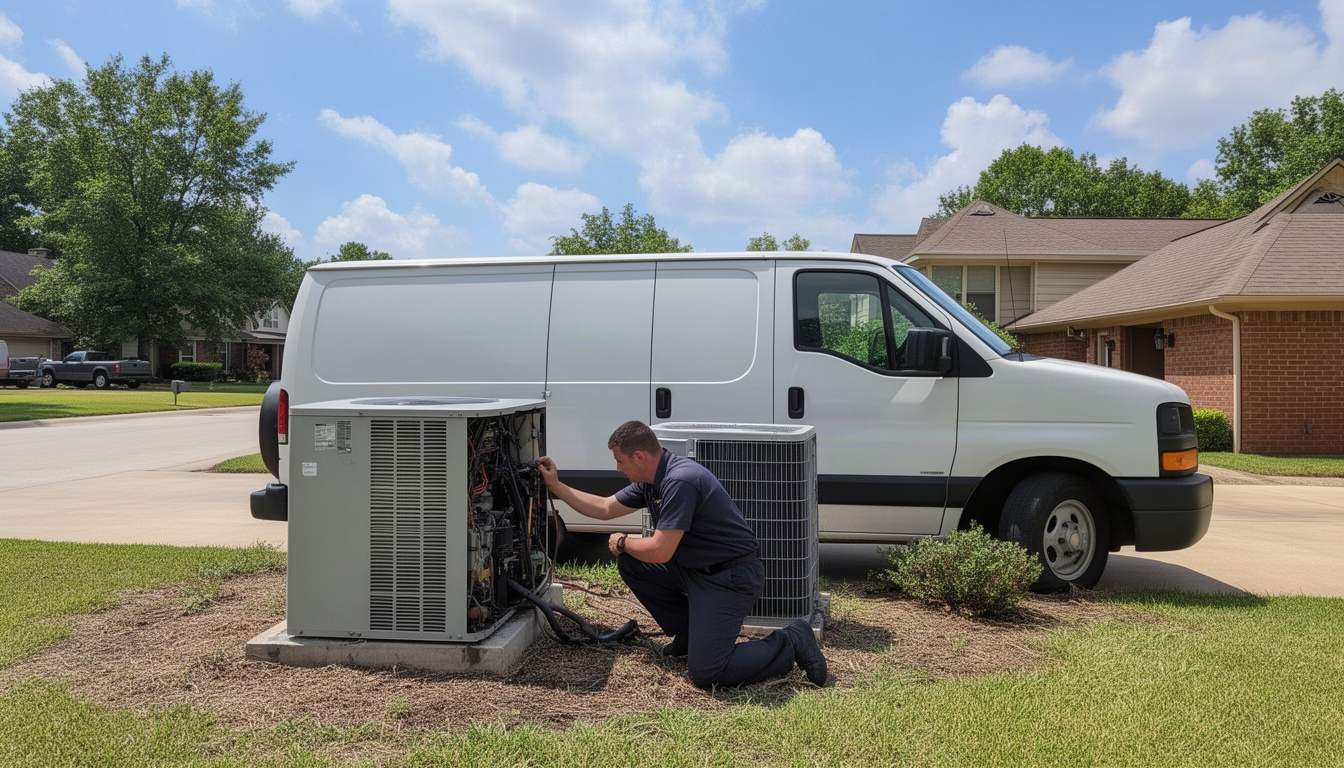
You're losing money right now. Not because you're bad at your job - you're probably great at it. You're losing money because customers forget they scheduled you, or they think the appointment is next week, or they just don't show up. And when that happens, you've got a tech sitting in a truck with nothing to do, or a crew standing around waiting for a call that never comes. (Nih.gov) (Fcc.gov)
An appointment reminder text fixes that. It's simple, it works, and it costs almost nothing to send. The best part? You don't have to remember to send it yourself. Your scheduling software can do it automatically, and you'll watch no-shows drop fast.
Here's what you need to know to make it work.
In This Article
- What Is an Appointment Reminder Text?
- How Much Do No-Shows Actually Cost You?
- When Should You Send Appointment Reminder Texts?
- 12 Appointment Reminder Text Templates (Copy and Paste)
- What Makes a Reminder Text Actually Work?
- How Do You Automate Appointment Reminder Texts?
- Frequently Asked Questions
- The Real Win: Stop Losing Money on No-Shows
What Is an Appointment Reminder Text?
An appointment reminder text is a concise, automated text message sent from your business to a client as a reminder for an upcoming appointment. It says something like: "Hi Sarah, your plumbing visit with Apex Plumbing is tomorrow (Tue 6/10) at 10am. Reply C to confirm or call 555-0199."
That's it. One message. One job: remind them you're coming, and give them a way to confirm or reschedule if something's changed.
Why text instead of email? Because 98% of SMS messages get read, often within minutes of arriving. Email sits in an inbox and gets buried. If you want a customer to see your message before they miss your appointment, text is the only channel that reliably works.
This matters for every trade. HVAC techs, plumbers, roofers, pest control operators, electricians, painters - if you're booking appointments more than a few days out, you're going to have no-shows without reminders. And the bigger your business gets, the more those no-shows hurt.
How Much Do No-Shows Actually Cost You?
Let's think through the math for a moment.
Say you run a solid number of jobs each week. Without any reminder system, a meaningful chunk of those appointments end with nobody home - customers who forgot, mixed up the date, or changed their mind without telling you. Each of those jobs represents real revenue you never collected, plus the hidden cost of a tech driving to a closed door, burning gas, burning time. If you're paying that tech hourly, you're paying them to sit idle.
Now flip it around. When you start sending appointment reminder texts - a simple sequence of a few messages - your no-show rate drops sharply. Medical and dental practices fight no-show rates that often run 10 to 20% on unmanaged schedules. SMS reminder programs typically cut this by 30 to 50% when properly structured. Across a full year, that adds up to a meaningful chunk of revenue you'd otherwise be writing off.
You don't need to hire anyone. You don't need new software. You just need to send a text at the right time.
When Should You Send Appointment Reminder Texts?
Timing matters. Send a reminder too early and the customer forgets again. Send it too late and they've already made other plans.
The best approach is a 3-touch sequence:
Touch 1: 48 hours before the appointment This is your first reminder. It's far enough out that it registers, but close enough that it's still top of mind. The goal here is to catch reschedule requests before they turn into no-shows.
Touch 2: 24 hours before the appointment This is your confirmation touch. By now, if they're going to cancel, you want to know. This message should ask them to reply and confirm they'll be home.
Touch 3: 2 hours before the appointment This is your "we're on the way" message. It's a courtesy and a final check. Some businesses skip this one for early-morning jobs because TCPA rules say you can't text before 8am or after 9pm.
| Touch | Timing | Purpose | Best Length |
|---|---|---|---|
| 1st reminder | 48 hours out | Initial heads-up, catch reschedules | Under 160 characters |
| 2nd reminder | 24 hours out | Confirmation request | Under 160 characters |
| 3rd reminder | 2 hours out | Final notice, "on the way" | Under 160 characters |
Why 160 characters? Because that's the limit for a single SMS segment. If your message goes over, it splits into two messages and you pay for both. Keep it short and you save money and look more professional.
The 2-hour reminder is optional. If most of your appointments are early morning, skip it. But for afternoon and evening jobs, that final text makes a real dent in last-minute no-shows.
12 Appointment Reminder Text Templates (Copy and Paste)
Here are ready-to-use templates organized by scenario. Each one is under 160 characters so it sends as a single message. Swap in your business name, the customer's name, the time, and the address.
Initial Booking Confirmation Texts
Template 1 (HVAC): "Hi Name, thanks for booking! Your AC tune-up with LocalRestart is [Date] at [Time]. Reply C to confirm or call [Phone]. Reply STOP to opt out." Character count: 158
Template 2 (Plumbing): "Name, we've got you down for a plumbing visit on [Date] at [Time]. Confirm by replying YES or call [Phone]. - LocalRestart" Character count: 142
48-Hour and 24-Hour Reminder Texts
Template 3 (Roofing): "Hi Name, reminder: your roof inspection with LocalRestart is tomorrow at [Time]. Reply C to confirm or reschedule at [Phone]." Character count: 147
Template 4 (Pest Control): "Name, your pest control service is scheduled for [Date] at [Time]. Confirm by replying Y or call [Phone]. Thanks!" Character count: 137
Template 5 (Electrical): "Hi Name, just confirming: electrical service with LocalRestart on [Date] at [Time]. Reply CONFIRM or call [Phone] to reschedule." Character count: 153
Template 6 (Cleaning): "Name, your cleaning appointment is [Date] at [Time]. Reply C to confirm or text RESCHEDULE to change the time. - LocalRestart" Character count: 152
Day-Of and 2-Hour Reminder Texts
Template 7 (HVAC): "Hi Name, we're on the way! Your HVAC service is at [Time] today. We'll arrive between [Window]. Reply with any questions." Character count: 145
Template 8 (Plumbing): "Name, [Tech Name] is heading to your place now. ETA [Time]. Park in driveway if possible. Call [Phone] if you need to reschedule." Character count: 157
Template 9 (Roofing): "Your roof inspection crew is 30 minutes away. We'll be there around [Time]. Reply STOP if you need to cancel." Character count: 127
Reschedule and No-Show Follow-Up Texts
Template 10 (After a missed appointment): "Name, we stopped by today but didn't find anyone home. Let's reschedule your Service visit. Reply with a time that works or call [Phone]." Character count: 158
Template 11 (Reschedule request): "Hi Name, we have an opening on [Date] at [Time] for your Service. Does that work? Reply YES or call [Phone] to pick a different time." Character count: 159
Template 12 (Follow-up after cancellation): "Name, we understand something came up. We'd love to reschedule your Service. We have openings [Date] and [Date]. Let us know!" Character count: 154
Each template has a variable section in brackets. Replace Name with the customer's first name, LocalRestart with your business name, [Time] with the appointment time, and so on. The more personalized the message, the better your response rate.
What Makes a Reminder Text Actually Work?
Not all reminder texts are created equal. Here are five rules that separate the ones that cut no-shows from the ones that get ignored.
Rule 1: Keep it under 160 characters. This is non-negotiable. A single SMS segment costs you one message fee. Split it into two and you pay twice. More importantly, a short message feels professional and urgent. A long rambling text feels like spam.
Rule 2: Include your business name. "Hi Sarah, your appointment is tomorrow at 2pm" could be from anyone. "Hi Sarah, your HVAC appointment with Apex Heating is tomorrow at 2pm" tells her exactly who's coming and why. She's far more likely to confirm.
Rule 3: State the date and time clearly. Don't assume they remember. Write it out: "Tuesday, June 10 at 2pm" or "tomorrow at 10am." If you're sending a 48-hour reminder, include the day of the week. Customers mix up dates all the time.
Rule 4: Give one clear action. Tell them exactly what to do: "Reply C to confirm" or "Call 555-1234 to reschedule." Don't give them three options. One action, one button to press.
Rule 5: Add an opt-out line. TCPA rules require it. Include "Reply STOP to opt out" or "Text STOP to unsubscribe." It's a legal requirement, but it also builds trust. Customers know they can stop the messages whenever they want.
Personalization matters too. Texts that use the customer's first name consistently outperform generic messages. If your scheduling software can pull the customer's name and insert it automatically, use that feature every time.
One more thing: avoid emojis in professional service contexts. A smiley face might feel friendly, but emojis use more characters in SMS encoding, and they can come across as unprofessional in a plumbing or HVAC context. Save them for salons and personal services.
How Do You Automate Appointment Reminder Texts?
You have three paths to automate reminders. Pick the one that fits your business size and tech comfort level.
Path 1: Built-in SMS in your field service software If you use scheduling software with SMS capabilities, appointment reminders are probably already built in. You just need to turn them on and set the timing. The cost is usually included in your monthly plan or runs just a cent or two per message. This is the easiest option if you're already paying for the software.
Path 2: Standalone SMS platform Services like SimpleTexting or Podium let you send SMS independently. You pay a monthly fee plus any per-message overage. These platforms are good if you want more control over message timing and content, but they require manual setup or integration with your scheduling tool.
Path 3: Automation layer If you use a scheduling tool that doesn't have built-in SMS, you can connect it to an SMS service via an automation platform. This is the most flexible option but also the most technical, and you'll pay for both the automation layer and the SMS separately.
Here's a quick comparison:
| Setup Path | Monthly Cost | Per-Message Cost | Best For |
|---|---|---|---|
| Built-in FSM SMS | $0 (included) | Very low | Existing scheduling software users |
| SimpleTexting | Low–moderate | Low | Standalone SMS, higher volume |
| Automation layer + SMS | Low + SMS | Very low | Custom workflows, tech-savvy owners |
If you're already using scheduling software with SMS, use the built-in option. It's the cheapest and easiest. If you're not, SimpleTexting is the most straightforward standalone option.
Here's how to set up a basic automated sequence in 5 steps:
- Log into your scheduling software (or SMS platform if you're using standalone).
- Find the "Reminders" or "Notifications" settings. This is usually under Customer Communication or Automations.
- Enable SMS reminders and choose your timing: 48 hours, 24 hours, and/or 2 hours before the appointment.
- Write your message templates using the templates above. Most platforms let you save multiple templates for different service types.
- Test with yourself. Schedule a dummy appointment and confirm you receive the reminders at the right times.
That's it. From that point on, every appointment you book will automatically trigger reminders. No manual work.
Frequently Asked Questions
How much does it cost to send appointment reminder texts?
Direct Answer: If you use built-in SMS in your scheduling software, it's typically included in your plan or costs just a cent or two per message. Standalone SMS platforms start at a modest monthly fee.
Either way, the math is simple. Even if you're paying a small monthly fee for a standalone platform, that cost disappears the moment you recover even one no-show. The reminders pay for themselves quickly.
What is the best time to send an appointment reminder text?
Direct Answer: A multi-touch reminder sequence of two to three messages cuts no-show rates by up to 45% compared to a single reminder. Send your first reminder 48 hours before the appointment, your second 24 hours before, and your third 2 hours before.
The 48-hour reminder catches customers who need to reschedule. The 24-hour reminder is your confirmation check. The 2-hour reminder is your final courtesy and catches last-minute cancellations. Don't send texts before 8am or after 9pm - TCPA rules prohibit it, and carriers will block them anyway.
How do appointment reminder texts compare to reminder emails?
Direct Answer: SMS messages get read 98% of the time, often within minutes. Email gets opened a fraction of the time and can sit in an inbox for hours or days. For appointment reminders, text is far more effective.
If you're trying to reduce no-shows, email is almost useless. Customers don't check email before they leave the house. They check their phone. Text is the only channel that reliably gets your message in front of them in time to act on it.
Are automated appointment reminder texts legal?
Direct Answer: Yes. Appointment reminders for appointments the customer has already booked fall under a transactional exemption to TCPA rules. You don't need prior written consent to send them. But you must include an opt-out mechanism (like "Reply STOP to unsubscribe") and you cannot send texts before 8am or after 9pm local time.
If you're sending marketing texts - like "We have a special this week" - those require prior written consent. But a reminder for a scheduled appointment is transactional and is allowed. Always include the opt-out line anyway; it's the law and it's good practice.
What should you do when a customer does not reply to a reminder text?
Direct Answer: No reply doesn't mean they're not coming. Most customers read the reminder and assume they're all set. If you need confirmation, your 24-hour reminder should explicitly ask them to reply. If they don't respond to that, assume they're coming unless they tell you otherwise.
If a customer misses the appointment, send a follow-up text the same day: "We stopped by today but didn't find anyone home. Let's reschedule. Reply with a time that works or call [Phone]." This gives them a chance to explain and reschedule without losing the job entirely.
Can you send reminder texts without special software?
Direct Answer: Technically yes, but it's not practical. You could manually text each customer, but that takes time and you'll miss reminders. The whole point of appointment reminders is to automate them so you don't have to think about it.
If you're just starting out with one or two appointments a week, manual texts might work. But the moment you hit ten or twenty appointments a week, you need automation. That's when your scheduling software's built-in SMS or a standalone platform becomes essential.
The Real Win: Stop Losing Money on No-Shows
Here's what happens when you set up appointment reminders the right way.
You book a job for Tuesday at 2pm. Your software automatically sends a text 48 hours before. The customer reads it and confirms they'll be home. You send another text 24 hours before. No response, but that's fine - they already confirmed. Two hours before, you send a final "we're on the way" text. The customer sees it and makes sure they're there.
Tuesday at 2pm, your tech pulls up. The customer is home. The job gets done. No wasted drive time. No sitting in the truck waiting for a call that never comes. No rescheduling. No lost revenue.
Multiply that across several jobs a week and you're recovering real money - the kind of difference that separates a slow month from a good one.
The best part? You don't have to manage it. Your scheduling software handles it. You set it up once and it runs on autopilot.
LocalRestart makes this simple. Turn on SMS reminders in your scheduling software today. If you need help setting it up or want it done right the first time, LocalRestart can handle it for you. Either way, you'll see no-shows drop within a couple of weeks.
Your customers will thank you. Your bank account will thank you more.