Missed Call Text Back: How It Works (2026)
Learn how missed call text back works, what to say, which tools to use, and how much revenue you recover. Includes real message templates.
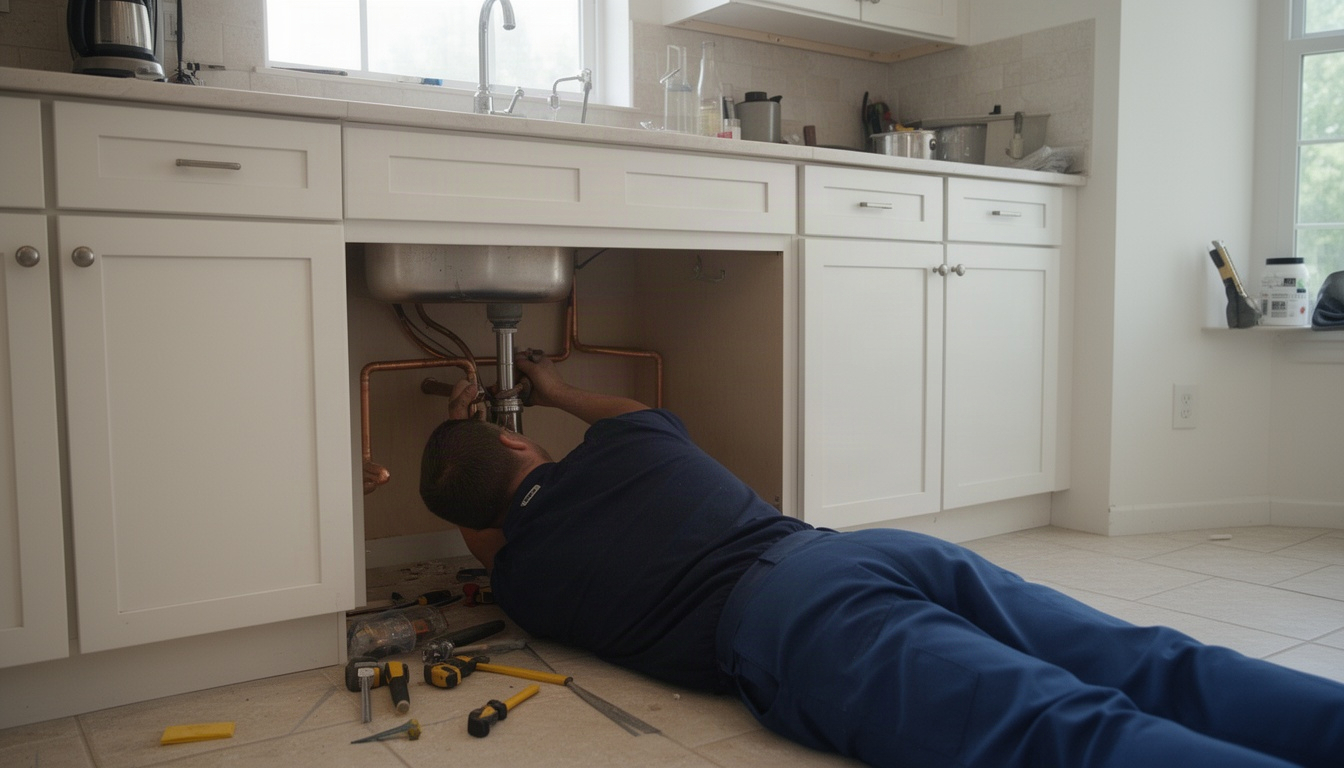
You're out on a job when your phone buzzes. A customer called while you were under a sink or up on a roof. They didn't leave a message. By the time you call back an hour later, they've already booked someone else.
That's the missed call problem. And it costs you more than you think.
Here's the good news: missed call text back solves it automatically. A customer calls, reaches your voicemail, and within 60 seconds gets a text from your business saying something like, "Hey, we missed you! Reply here and we'll get back to you in 15 minutes." They text back. You see it on your phone. You call them. You win the job.
This guide walks you through how it actually works, what to say, which tools do it best, and the real math so you can decide if it's worth your time.
In This Article
- What Is Missed Call Text Back?
- Why Does a Missed Call Cost You More Than You Think?
- How Does Missed Call Text Back Actually Work?
- What Should Your Missed Call Text Actually Say?
- Which Tools Offer Missed Call Text Back?
- How Do You Set Up Missed Call Text Back in Under 30 Minutes?
- Frequently Asked Questions About Missed Call Text Back
- The Bottom Line
What Is Missed Call Text Back?
Missed call text back is simple: when someone calls your business number and you don't answer, the system automatically sends them a text message within seconds. That's it.
Here's the flow:
- Customer calls your number
- Call goes to voicemail (unanswered)
- System detects the missed call
- Auto-text fires within 60 seconds
- Customer sees your message and replies (or calls back)
- Their reply lands in your CRM or on your phone
- You respond and book the job
The system doesn't replace your voicemail. It works alongside it. If a customer leaves a message, you get both the voicemail and the text. If they don't leave a message - and most don't - the text is your only shot at getting them back.
Three real examples:
An HVAC tech gets a call at 2 p.m. while installing a condenser outside. Voicemail picks up. Sixty seconds later, the caller gets: "Hi, this is CoolAir HVAC. Sorry we missed you! Text back and we'll get to you in 15 min." They reply. Tech sees it on his phone. Calls them back at 2:30 p.m. Books a service call.
A plumber is under a sink when her phone rings. She can't answer. The caller gets: "Hi from Jake's Plumbing. Missed your call! Reply here or call back at number." They text back. Plumber sees it, calls them back within the hour. Quotes the job.
A pest control owner is in a customer's yard when the phone buzzes. Voicemail. Text goes out: "Thanks for calling Pest Pro. We'll text you back within 2 hours." Customer replies with their address. Owner captures the lead in his CRM and schedules a callback.
The magic is speed. You're not waiting until end of day to check voicemail. The customer gets a response within minutes, not hours. And you're not hiring office staff to answer phones - the system does it for you. The real power comes when your CRM and automation work together to send the text and assign the callback, turning a missed moment into a managed lead.
Why Does a Missed Call Cost You More Than You Think?
Here's the brutal truth: over 60% of business calls go unanswered, and 85% of those callers never call back. And when they do, most callers don't leave a message.
Think about your own behavior. You call a business. Voicemail. Do you leave a message? Probably not. You hang up and call the next guy on Google.
That's what your customers do too.
So every missed call isn't just a missed moment - it's a lost lead. And if you're running a growing business, you can't afford to lose many.
Let's do the math.
Say you're an HVAC company. You miss 8 calls a week. Your average service call is worth a few hundred dollars. That's real money sitting on the table every single week. Over a year, it adds up fast.
Now, you won't recover all of those calls. But if missed call text back recovers even a portion of them, the tool pays for itself many times over - usually within the first month.
And here's the thing: the first person to respond wins the job. Companies responding within five minutes are 100 times more likely to connect with a prospect than those waiting 30 minutes. Missed call text back gets you that fast response window automatically, without you having to drop everything.
What a missed call actually costs per month:
- 8 missed calls/week × 4 weeks = 32 missed calls/month
- Multiply by your average job value
- Recover even a fraction with auto-text and the math gets interesting fast
- The tool cost is a rounding error compared to what you get back
That's not theoretical. That's money walking out the door every single day. The right way to track it isn't just callbacks made - it's recovered booked jobs and actual revenue. That's the number that tells you whether your system is really working.
How Does Missed Call Text Back Actually Work?
The mechanics are straightforward, but understanding them helps you pick the right tool and set it up correctly.
Step-by-step:
- Call comes in. Customer dials your business number.
- System detects unanswered call. Your phone rings, but you don't pick up - you're on a job. After a set number of rings (typically 10 to 20 seconds), it goes to voicemail.
- Trigger fires. The system recognizes an unanswered call and activates your missed call text back rule.
- SMS sends within 60 seconds. Your pre-written message goes out to the caller's phone as a text.
- Customer replies (or doesn't). If they reply, the text lands in your CRM, your phone, or both - depending on how you set it up.
- You respond. You call or text them back. Lead captured.
Trigger types:
Most platforms let you choose when the text fires:
- All missed calls: Every unanswered call gets a text.
- After-hours only: Texts only fire outside business hours (e.g., after 5 p.m. or on weekends). Good if you have an office person answering during the day.
- Specific conditions: Some tools let you set rules like "only if the caller is new" or "only if they called from a certain area code."
Two-way SMS vs. one-way blast:
This matters. One-way SMS fires a message and that's it. The customer can't reply to it, or their reply goes nowhere. Two-way SMS lets the customer text you back, and their message lands in your system so you can respond.
You want two-way. One-way is useless for lead capture.
Does it work on cell phones and landlines?
Cell phones: yes, always.
Landlines: no. Landlines can't receive text messages. If a customer calls from a landline, they won't get a text - they'll just get voicemail. This is a real limitation, but most residential customers call from cell phones, so it's not a deal-breaker.
What Should Your Missed Call Text Actually Say?
This is where most articles fall short. They explain the concept but don't give you actual message copy. Here's what works.
Five ready-to-use templates:
Template 1: General Service "Hi, this is Name from [Business Name]. Sorry we missed you! Reply here and we'll get back to you in 15 min." (118 characters)
Template 2: Emergency/Urgent "Hi, we missed your call. This is [Business Name]. We handle emergencies same-day. Reply here or call number now." (116 characters)
Template 3: After-Hours "Thanks for calling [Business Name]. We're closed now but we'll text you back first thing tomorrow morning. Reply here." (120 characters)
Template 4: Quote Request "Hi from [Business Name]. We got your call! Reply with your address and what you need fixed, and we'll send you a quote." (122 characters)
Template 5: Seasonal Campaign "Hi, this is [Business Name]. We're running a fall special on HVAC tune-ups. Reply to learn more or schedule today." (116 characters)
Why these work:
Every good missed call text includes three things:
- Personalization. Your business name. Your name if it's a solo operation. Makes it feel real, not robotic.
- Clear next step. "Reply here," "call us back," "text your address." Tell them exactly what to do.
- Response invitation. "We'll get back to you in 15 min" or "Reply here." Removes friction. They know you're listening.
What NOT to say:
Don't send: "Sorry we missed you." That's it. No call to action. No reason to reply.
Don't send: "Call us back at number." They already have your number. They called it. Give them a reason to text instead.
Don't send: Generic corporate speak. "We appreciate your inquiry and look forward to serving you." Sounds like a robot. Sounds like you don't care.
A note on compliance: Following SMS regulations isn't just a legal checkbox - it's how you build trust. That means respecting TCPA guidelines, honoring opt-out requests immediately, and making sure every automated message is something the recipient actually wants to receive. When in doubt, keep it simple and human.
Character count note:
Keep your message under 160 characters. That's one SMS segment. Go over 160 and it splits into two messages, which costs more and looks clunky. If you use emoji or special characters, the limit drops to 70 characters because of Unicode encoding. Stick to plain text.
Which Tools Offer Missed Call Text Back?
You have options. Here's what's actually available, with real pricing as of October 2026.
| Tool | Missed Call Text Back | Two-Way SMS | CRM Integration | Starting Price |
|---|---|---|---|---|
| GoHighLevel | Yes, native | Yes | Yes, built-in | $97/month |
| Jobber | No, third-party only | Yes, via add-on | Yes, built-in | $49/month (base) |
| ServiceTitan | Yes, native | Yes | Yes, built-in | $200+/month |
| Hatch | Yes, native | Yes | Yes, built-in | $329/month |
| Signpost | Yes, native | Yes | Yes, built-in | $49/month (add-on) |
| NexHealth | Yes, native | Yes | Yes, built-in | $99/month |
What this means:
GoHighLevel is the best all-in-one for small crews. You get missed call text back, two-way SMS, a full CRM, scheduling, invoicing, and a client portal all in one platform. No add-ons needed. If you're under 5 techs and want one tool that does it all, start here.
Jobber is strong on scheduling and invoicing but doesn't have native missed call text back. You can connect it to a third-party SMS tool via Zapier, but that adds complexity and another monthly fee. If you love Jobber for job management, you can make it work - it's just not the easiest path.
ServiceTitan is enterprise-level, built for multi-location operations with plenty of techs. It's overkill if you're solo or a small crew. Skip it unless you're scaling hard.
Hatch is purpose-built for home service contractors. AI-driven SMS follow-up, missed call text back, and lead routing all included. Good if you want AI-assisted responses and don't mind paying for that specialization.
Signpost offers missed call text back as a monthly add-on to its core platform. A solid option if you already use Signpost for other things.
NexHealth is built for service businesses and includes missed call text back natively. Good middle ground between GoHighLevel and Hatch.
The real question: Do you want one tool that does everything, or are you okay stitching together multiple tools?
If you're busy and want simplicity, pick GoHighLevel. If you already love your CRM and just need SMS, pick a platform that integrates with it.
How Do You Set Up Missed Call Text Back in Under 30 Minutes?
Setup is not hard, and most platforms walk you through it step-by-step. Here's the checklist that works across all of them. You can also explore AI tools for small businesses.
Step 1: Connect your business phone number.
Log into your platform. Go to Settings > Phone or Voice. Enter your business phone number. The system will verify it, usually via a code texted to that number. This takes about 2 minutes.
Step 2: Choose your trigger.
Decide when the text fires. All missed calls? After-hours only? New callers only? Pick one. Most people start with "all missed calls" and adjust later.
Step 3: Write and save your default template.
Use one of the templates above or write your own. Keep it under 160 characters. Save it. This takes about 3 minutes.
Step 4: Set response routing.
When a customer replies to your text, where does it go? To your phone as an SMS? To your CRM? To a team member's email? Pick one (or multiple). Most platforms let you choose.
Step 5: Test with a real call.
Have a friend call your business number. Don't answer. Wait 60 seconds. You should get a text from your system. Reply to it. Make sure the reply lands where you expect it. This takes about 5 minutes.
Step 6: Review reply reports weekly.
Most platforms show you a dashboard of missed calls, texts sent, and replies received. Check it once a week. See what's working. Adjust your message if needed. Once the basics are running smoothly, the natural next step is layering your text back into a broader follow-up workflow - that's where you really start squeezing value out of every lead.
Total time: 30 minutes. Seriously.
Common setup mistakes:
- Forgetting to test. You set it up, assume it works, then miss a real lead because the routing is wrong. Test first.
- Message too long. You write a 200-character message and it splits into two SMS. Customers see it as two separate texts. Looks unprofessional. Keep it under 160.
- No clear call to action. Your message says "Sorry we missed you" and nothing else. Customer doesn't know what to do. Always tell them to reply or call back.
- Routing to the wrong person. You set replies to go to your office manager's email, but she's on vacation. Leads pile up unanswered. Route to your phone or a team member who's always available.
- Forgetting A2P 10DLC registration. This is technical but important. All US business SMS requires A2P 10DLC registration with carriers. Most platforms handle this automatically, but if you're using an older tool or a third-party SMS service, you might need to register manually. It's free or costs a few dollars. Don't skip it - unregistered SMS gets filtered by carriers.
Frequently Asked Questions About Missed Call Text Back
How much does missed call text back software cost?
Direct Answer: Most platforms charge somewhere between $49 and a few hundred dollars per month, depending on what else they include.
The cheapest add-ons are at the lower end of that range. Mid-range all-in-one platforms like GoHighLevel sit in the middle. Enterprise tools like ServiceTitan and Hatch run higher.
The real question isn't the price - it's what else you get. GoHighLevel includes missed call text back, CRM, scheduling, invoicing, and a client portal. That's a full business tool. A standalone SMS add-on is just the one feature; you need a base platform too. Do the math on total cost, not just the SMS line item.
Does missed call text back work with landline numbers?
Direct Answer: No. Landlines can't receive text messages.
If a customer calls from a landline, they won't get a text - they'll just get your voicemail. This is a real limitation, but it's not a deal-breaker for most home service businesses. Most residential customers call from cell phones. If you get a lot of landline calls from older customers or office buildings, it's worth knowing, but it won't kill your results.
Is sending an automatic text to a missed caller legal (TCPA compliance)?
Direct Answer: Yes, if you do it right. An inbound call creates an "existing business relationship" that permits one return SMS without prior written consent.
Here's the nuance: when someone calls your business, they're initiating contact with you. That creates what the FCC calls an "existing business relationship." You're allowed to send one text back to that caller without them signing a consent form first. That's the legal hook that makes missed call text back work.
But there are rules. You can't use it for marketing spam. You can't send multiple texts to the same person without consent. And you must honor STOP requests - if someone replies "STOP," you can't text them again. Most platforms handle STOP suppression automatically, so you don't have to worry about it.
If you're in healthcare or finance, talk to a lawyer. Those industries have extra rules. For home service - HVAC, plumbing, roofing, pest control - you're generally fine.
What is a typical response rate for missed call text back messages?
Direct Answer: Most businesses see a solid majority of missed callers reply to the auto-text - far more than you'd ever get from email or voicemail alone.
That's because people actually read texts, usually within a few minutes of receiving them. The exact rate depends on your message, your industry, and how fast you follow up. A clear, friendly message with a specific call to action gets more replies than a generic "Sorry we missed you."
How is missed call text back different from a voicemail drop?
Direct Answer: Voicemail drop is a pre-recorded message left in someone's voicemail. Missed call text back is an SMS sent to their phone.
Voicemail drop is older tech and tends to feel spammy. It also requires the caller to check voicemail, which most people don't bother doing. Missed call text back is faster, less intrusive, and gets read almost immediately. Voicemail drop is also more legally risky under TCPA. Use missed call text back.
Can missed call text back integrate with my existing CRM or scheduling tool?
Direct Answer: Yes, if your CRM supports it natively or via Zapier integration.
GoHighLevel, ServiceTitan, Hatch, and NexHealth all have native missed call text back built in. If you use Jobber, you can connect it to a third-party SMS tool via Zapier. If you use QuickBooks or pen and paper, you can still use a standalone platform like GoHighLevel and manually log leads into your system.
The best setup is native integration - missed call text back fires, customer replies, and the lead lands in your CRM automatically. No manual data entry. No lost leads.
The Bottom Line
Missed call text back is one of the simplest, highest-return automations you can set up. A customer calls, you miss it, they get a text within 60 seconds, they reply, you call them back, you book the job.
No hiring office staff. No complicated software. No guesswork.
The math is simple. If you're regularly missing calls, you're leaving real money on the table every single week. A tool that recovers even a portion of those calls pays for itself in the first month - usually many times over.
Setup takes 30 minutes. Testing takes 5 minutes. The payoff is immediate.
If you're running a home service business and you're not doing this, you're losing money every single day. Start with GoHighLevel if you want an all-in-one platform, or pick whichever tool fits your existing stack. Either way, get it running this week.