Free Estimate Template for Contractors (2026)
A free estimate template for contractors: the 10 fields every estimate needs, how to fill it out step by step, and the mistakes that turn estimates into unpaid work.
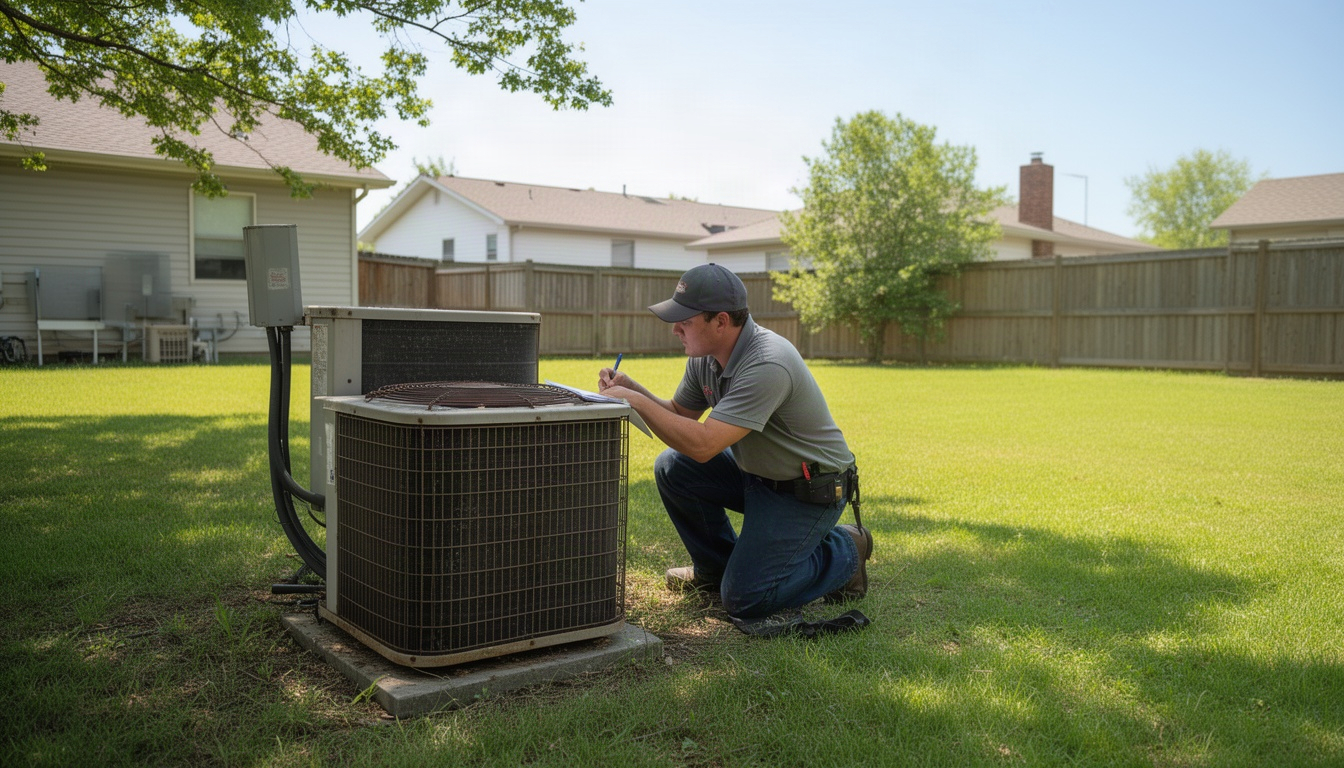
You're standing in a customer's attic. The HVAC unit is shot. You pull out your phone, record a quick voice note about the replacement, snap a photo of the old unit, and send it off. Two hours later, you're supposed to have a quote in the customer's inbox. Instead, you're back in the truck, squinting at your notes, trying to remember if you said R-410A or R-22, hunting for the right labor rate, and wrestling with a spreadsheet that's missing half the fields you need.
Here's the thing: you don't need a fancy software subscription or a template that looks like it was designed for an accountant. You need a free estimate template that works the way you actually work - one you can fill out in five minutes, that doesn't lose money to scope creep, and that gets signed before the customer changes their mind.
This guide walks you through what goes into a real estimate, which format works best for your volume, and the five mistakes that quietly cost contractors money every year. By the end, you'll have a clear template you can start using this week.
What Is a Free Estimate Template and Who Needs One?
A free estimate template is a form - Word doc, Excel sheet, PDF, or online tool - that lists the work you're proposing, breaks down the cost, and gives the customer a price before you start the job.
Here's the legal distinction that matters: an estimate is non-binding. If material costs spike or you find hidden damage, you can adjust it. A quote, on the other hand, is a fixed-price offer that becomes binding once the customer accepts it. Most contractors use the terms interchangeably, but knowing the difference protects you if something goes sideways.
Who needs one? Anyone who sells work before doing it. That's HVAC techs quoting a furnace replacement, roofers estimating a tear-off, plumbers pricing a bathroom remodel, pest control operators calculating a quarterly service plan, landscapers bidding mulch and labor, and electricians estimating a panel upgrade. If you're not handing the customer a piece of paper with a number on it before you start, you're leaving money on the table and inviting scope creep.
This article covers the fields every estimate needs, which format works best for the size of your business, how to fill one out step by step, and the mistakes that turn estimates into unpaid work.
What Should Every Estimate Template Include?
A solid estimate template has ten core fields. Miss one, and you either lose money or end up in a dispute.
1. Your business name, license number, and contact info Put this at the top. In California and most other states, your contractor license number is legally required on every written estimate. Omit it, and you've got a compliance problem.
2. Estimate number Use sequential numbering: EST-001, EST-002, EST-003. This keeps your records straight and makes follow-up easier. "Hey, I'm calling about estimate 47" beats "the one from Tuesday."
3. Date issued Write it down. You'll need it for your records and for the expiration date calculation.
4. Customer name, address, and phone Get the actual job site address if it's different from the customer's mailing address. A roofer quoting a rental property needs to know where the roof is, not where the owner lives.
5. Scope of work This is where being vague costs you money. Don't write "painting work." Write "paint 3 bedrooms, 2 coats, including trim and caulk, semi-gloss finish." Specific beats vague every time. Customers with a clear picture of what they're getting accept faster and don't call back asking for extras.
6. Line items with quantity, unit price, and subtotal Break it down. Labor, materials, disposal, permits - each on its own line. Example:
| Item | Qty | Unit Price | Subtotal |
|---|---|---|---|
| Furnace replacement labor | 1 | $850 | $850 |
| 95% AFUE gas furnace | 1 | $2,100 | $2,100 |
| Ductwork sealing | 1 | $420 | $420 |
| Subtotal | $3,370 |
7. Taxes Calculate it. Most states charge sales tax on materials, some on labor, some on both. Don't guess - look it up and write it out so the customer sees exactly what they're paying.
8. Expiration date Set it to 30 days from the date issued. Without this, a customer can come back six months later expecting you to honor the old price - even if material costs have jumped. A 30-day window protects you and creates a little urgency.
9. Payment terms and deposit Something like "50% deposit due upon acceptance, balance due upon completion" works well. Be clear. Ambiguity kills cash flow.
10. Signature line and acceptance field Leave space for the customer to sign and date. This turns the estimate into a binding agreement once they accept it. Add a line for their printed name too.
Optional Fields That Win More Jobs
Three fields aren't required, but they move estimates from "maybe" to "yes."
Project timeline. "Work begins [date], completion expected [date]." Customers want to know when you're showing up. A timeline removes one reason to say no.
Warranty or guarantee statement. "All labor covered by 1-year warranty" or "Materials covered by manufacturer's warranty." This builds confidence. Customers are buying peace of mind as much as they're buying the work.
Your credentials or testimonials. A one-liner like "Licensed, insured, 15+ years HVAC experience" or a mention of your Google reviews. A customer who can see you've done this many times before is much more likely to sign.
Which Format Is Best: Word, Excel, PDF, or Software?
You've got options. Each has a trade-off.
| Format | Best For | Editable by Customer | Auto-Calculates | Cost |
|---|---|---|---|---|
| Word | Text-heavy descriptions, easy customization | Yes (risky) | No | Free |
| Excel / Google Sheets | Line items that vary, auto-totals | Yes (risky) | Yes | Free |
| Final version, sending to customer | No | No | Free (print-to-PDF) | |
| Software (Jobber, HoneyBook) | Volume, automation, client portal | No | Yes | Free–low monthly fee |
Word is free and flexible. You can write a detailed scope, add your logo, and customize it for each job. The downside: if you email it as a Word doc, the customer can edit it. Some do by accident; some do on purpose. Send it as a PDF instead.
Excel or Google Sheets is free and auto-calculates. Set up a SUM formula for your line items and the total updates automatically - no math errors. The same risk applies, so send the final version as a PDF, not the editable sheet.
PDF is the safest final format. It preserves your formatting, looks professional on any device, and the customer can't accidentally (or intentionally) change the numbers. Print to PDF from Word or Excel for free, or use a tool like DocuSign to add a signature field, or use a fillable PDF tool such as pdfFiller's estimate template.
Software like Jobber or HoneyBook handles estimates, invoices, and client management in one place. If you're sending a high volume of estimates every month, the time savings alone make it worthwhile.
The honest rule of thumb: if you're sending just a handful of estimates a month, Word or Excel plus PDF is perfectly fine. As your volume grows, auto-calculating software starts to earn its keep.
How to Fill Out an Estimate Template Step by Step
You've got a template. Now here's how to actually complete it without leaving money on the table.
Step 1: Add your business details and estimate number. Fill in your name, license number, phone, and email at the top. Use the next sequential estimate number. This takes 30 seconds and keeps your records clean.
Step 2: Add the customer's name, address, and phone. Get the actual job site address. A plumber quoting a bathroom remodel at a rental property needs the rental address, not the owner's home address. Include the customer's phone number so they can reach you with questions.
Step 3: Write a clear scope of work. This is the paragraph that prevents scope creep. Don't write "HVAC work." Write: "Replace existing 15-year-old furnace with new 95% AFUE gas furnace, including ductwork sealing and thermostat programming. Does not include ductwork replacement or air conditioning system." Specific. Clear. Defensible.
Step 4: List each line item with quantity, unit price, and subtotal. Break everything down. Labor, materials, disposal, permits, travel - each on its own line. A roofer's estimate might look like:
| Item | Qty | Unit Price | Subtotal |
|---|---|---|---|
| Roof tear-off (20 sq.) | 20 | $150 | $3,000 |
| Asphalt shingles (GAF Timberline) | 20 | $280 | $5,600 |
| Flashing and trim | 1 | $400 | $400 |
| Disposal and haul-away | 1 | $600 | $600 |
| Subtotal | $9,600 |
Step 5: Apply taxes. Look up your state and local tax rate. Most states charge sales tax on materials; some charge it on labor too. Write it out clearly so the customer sees the full breakdown.
Step 6: Add payment terms and expiration date. Write something like: "This estimate is valid for 30 days from the date above. Deposit of 50% due upon acceptance, balance due upon completion. Prices subject to change if work scope changes or unforeseen conditions are discovered."
Step 7: Include your signature line and a customer acceptance field. Add a line for you to sign and date, and a line for the customer to do the same. Example:
Accepted by: _________________________ Date: _______

Contractor signature: _________________________ Date: _______
Step 8: Save as PDF before sending. Once you've filled it out, export as PDF. This locks the numbers in place and prevents accidental edits. Send the PDF to the customer via email.
Pro tip: Follow up within three business days if you haven't heard back. A quick text or call - "Hey, did you get the estimate? Any questions?" - often closes the deal.
5 Common Estimate Mistakes That Cost You Money
You're not losing money because you don't know how to estimate. You're losing it because of one of these five mistakes.
Mistake 1: No expiration date. A customer gets your estimate, sits on it for four months, then calls back expecting you to honor the old price. Material costs have climbed since then. You either eat the difference or lose the job. Fix: Always set a 30-day expiration date. It protects you and creates urgency.
Mistake 2: Vague scope of work. You write "painting services." The customer thinks that means interior walls. You think it means walls plus trim. Halfway through, they're asking about the garage. You're not getting paid for the extra work. Fix: Write exactly what you're doing - and what you're not. "Paint 3 bedrooms and 2 bathrooms, 2 coats, semi-gloss finish, including trim and caulk. Does not include garage, closets, or ceiling repairs."
Mistake 3: Forgetting markup on materials. Here's a trap a lot of contractors fall into: a 20% markup on your material cost is not the same as a 20% profit margin. If your target is a true 20% margin, multiply your cost by 1.25 instead. It's a small math tweak that adds up over dozens of jobs.
Mistake 4: No signed acceptance. You send an estimate. The customer says "looks good" in a text. You show up to start work. They say they never agreed to that price. Without a signature, you've got no proof. Fix: Always get a signature - digital or physical. A signed estimate becomes a binding agreement.
Mistake 5: Underestimating labor. You quote eight hours of labor. The job takes twelve. You're eating the difference. Fix: Use what you know from past jobs. If you've done this work before, you know how long it really takes. If it's new territory, build in a buffer. It's much better to come in under budget and delight the customer than to go over and lose money.
Free Estimate Template Examples by Industry
The same ten-field structure works across every trade. Here's how it adapts.
HVAC Furnace Replacement
| Item | Qty | Unit Price | Subtotal |
|---|---|---|---|
| Furnace removal and disposal | 1 | $200 | $200 |
| 95% AFUE gas furnace (Lennox) | 1 | $2,100 | $2,100 |
| Installation labor (8 hrs) | 8 | $85 | $680 |
| Ductwork sealing | 1 | $420 | $420 |
| Thermostat programming | 1 | $150 | $150 |
| Subtotal | $3,550 | ||
| Tax (8.5%) | $302 | ||
| Total | $3,852 |
Landscaping Mulch and Cleanup
| Item | Qty | Unit Price | Subtotal |
|---|---|---|---|
| Mulch delivery and spread (8 yards) | 8 | $45 | $360 |
| Bed prep and edging | 1 | $200 | $200 |
| Cleanup and haul-away | 1 | $150 | $150 |
| Subtotal | $710 | ||
| Tax (7%) | $50 | ||
| Total | $760 |
Roofing Tear-Off and Replacement
| Item | Qty | Unit Price | Subtotal |
|---|---|---|---|
| Roof tear-off (25 sq.) | 25 | $150 | $3,750 |
| Asphalt shingles (GAF Timberline HD) | 25 | $320 | $8,000 |
| Flashing, trim, and vents | 1 | $600 | $600 |
| Disposal and haul-away | 1 | $800 | $800 |
| Labor (3 days, 2 crew) | 1 | $1,200 | $1,200 |
| Subtotal | $14,350 | ||
| Tax (8%) | $1,148 | ||
| Total | $15,498 |
Pest Control Quarterly Service
| Item | Qty | Unit Price | Subtotal |
|---|---|---|---|
| Initial inspection | 1 | $0 | $0 |
| Interior treatment (quarterly) | 4 | $120 | $480 |
| Exterior perimeter spray (quarterly) | 4 | $80 | $320 |
| Bait stations and monitoring | 1 | $200 | $200 |
| Subtotal | $1,000 | ||
| Tax (7%) | $70 | ||
| Total (annual) | $1,070 |
Each example follows the same structure: clear scope, itemized line items, subtotal, tax, total, expiration date, and signature line. The numbers change; the framework doesn't.
Frequently Asked Questions About Estimate Templates
Is a free estimate template legally binding?
Direct Answer: An estimate is non-binding by default - it's an approximation. Once the customer signs it and you both agree to the terms, it becomes a binding agreement to do the work at that price.
The distinction matters. If you send an estimate and the customer never signs it, you're not obligated to honor that price if costs change. But once they sign and you start work, you're locked in. That's why the signature line is so important. In California and most states, your contractor license number also needs to appear on the estimate for it to be enforceable.
What is the difference between an estimate and a quote?
Direct Answer: An estimate is non-binding - it's your best read on the cost. A quote is a fixed-price offer that becomes binding once the customer accepts it.
In practice, most contractors use the terms interchangeably. But legally, a quote carries more weight. If you send a quote and the customer accepts it, you're locked into that price. An estimate gives you more flexibility if unforeseen conditions pop up. Use "estimate" if you want wiggle room; use "quote" if you're confident in the number.
How do I make an estimate template in Word or Excel for free?
Direct Answer: Open Word or Excel, create a table with columns for Item, Quantity, Unit Price, and Subtotal, add your business info at the top, and save it as a template.
In Excel, use a SUM formula to auto-calculate your total. In Word, you'll need to do the math manually or copy the table into Excel for calculations. Both are free. If you want a head start, sites like Smartsheet and ProjectManager offer Word and Excel versions ready to customize, or check ProjectManager's estimate templates.
What should I charge for my estimate - is it free to the client?
Direct Answer: Most estimates are free to the customer. You're using it to win the job. Once they accept it and you start work, the estimate becomes the basis for your invoice.
Some higher-end trades - architects, engineers, design consultants - charge for detailed estimates. But for service trades like HVAC, plumbing, roofing, and electrical, estimates are generally free. The time you spend estimating is an investment in closing the job.
How long should an estimate be valid before it expires?
Direct Answer: 30 days is the standard for most service contractors. It protects you from material cost fluctuations and gives the customer a reasonable window to decide.
Some trades use 14 days when material costs are especially volatile - lumber and metals can swing quickly. Others use 60 days for large commercial projects. But 30 days is the sweet spot for most situations: long enough for the customer to think it over and arrange financing, short enough that your costs don't shift dramatically underneath you.
Can I use the same estimate template for different industries?
Direct Answer: Yes - the structure is the same across trades. Business info, scope, line items, tax, total, signature. Just customize the line items for each job type.
An HVAC estimate has furnace models and ductwork. A roofing estimate has shingles and flashing. A landscaping estimate has mulch and labor. The template framework adapts; the details change. Keep one master template and modify the line items, as trustpro's free estimate template demonstrates, for each job.
What is the best free software to create and send estimates?
Direct Answer: For a few estimates a month, Word or Excel saved as a PDF is free and works fine. Once you send a lot of them, field service software like Jobber or Housecall Pro saves time because the estimate, the job and the invoice live in one place.
Free tools like Wave and Invoice Ninja also make estimates. As volume grows, software saves real time on calculations, follow-ups, and record-keeping. Try billdu's estimate guide for a look at what a software-driven workflow involves.
Wrapping Up: From Estimate to Invoice to Cash
A free estimate template isn't just a form. It's the difference between getting paid on time and chasing money for months. It's the difference between a customer who knows exactly what they're getting and one who calls back asking for extras you never priced.
The template itself takes about 30 minutes to build. The real work is filling it out clearly, setting a deadline, and following up. You don't need fancy software or a degree in accounting. You need a clear scope, honest numbers, and a signature.
If you're still wrestling with spreadsheets or firing off estimates from your phone, start this week. Build a template in Word or Excel, add your ten core fields (see bookipi's estimate template for one example), and send your next estimate as a PDF. You'll close faster and get paid sooner.
If you send a lot of estimates, the time really does add up. If you'd rather not write them at all, that's what our Voice-Note Quotes system does: you send a one-minute voice note and a few photos, and we turn them into an estimate with your prices, ready for you to check and send.
Get the estimate right, and everything else follows.