Failed Payment Recovery: How to Get Paid
Find out why payments fail, how to recover them fast, and which tools work best for home-service businesses billing customers on recurring plans.
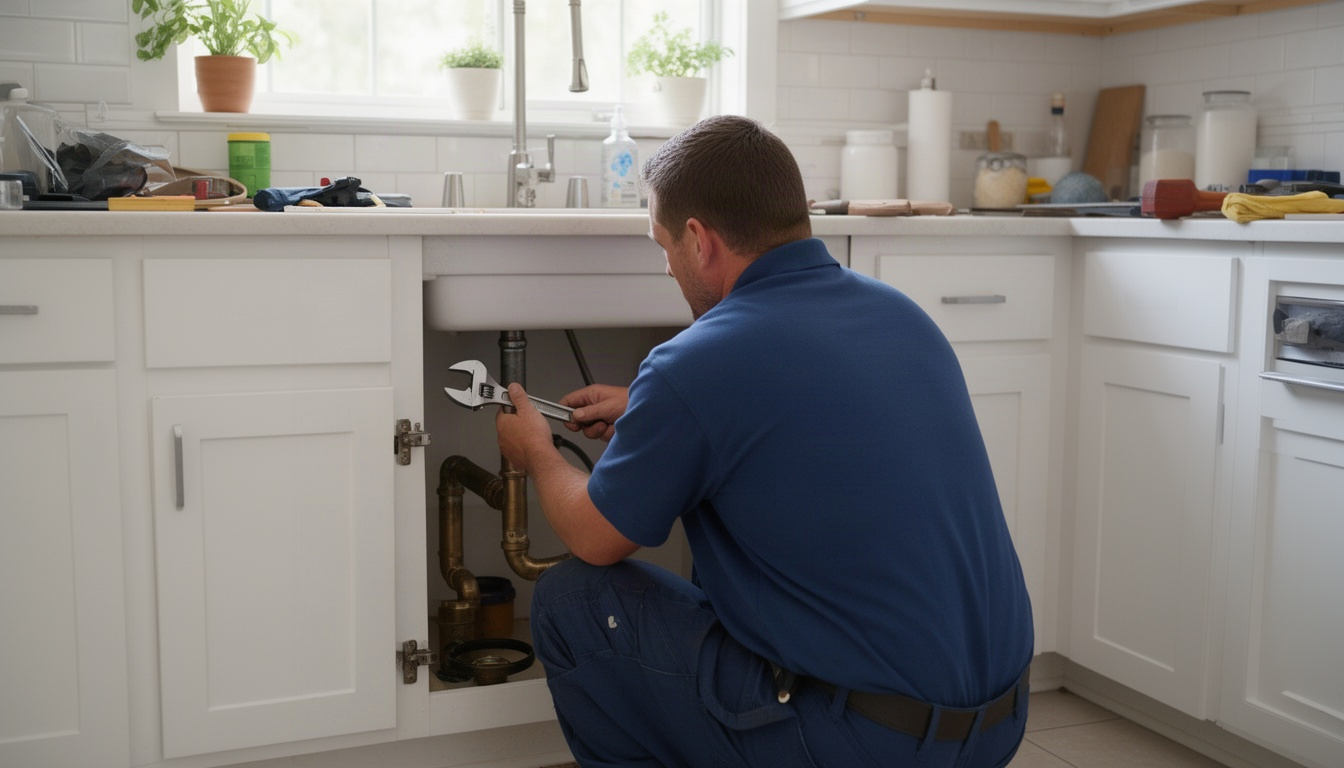
You're out on a job. The crew is working. Your phone buzzes: a customer's monthly plan payment just failed. You don't know it yet, but that's money you're not getting - and it's happening to dozens of other owners right now.
Here's the thing: most failed payments aren't because the customer doesn't want to pay. Their card expired. They hit their limit. The bank flagged it as suspicious. The problem is fixable - but only if you catch it and act fast.
This guide walks you through what causes payments to fail, how to recover them automatically, and what realistic recovery looks like for a home-service business. You'll see the exact timing and messaging that works, plus the tools that fit your setup - whether you're still using pen and paper or running everything through a field-service platform.
In This Article
- What Is Failed Payment Recovery?
- Why Do Payments Fail in the First Place?
- How Does a Failed Payment Recovery System Work?
- What Recovery Rate Should You Expect?
- Which Tools Handle Failed Payment Recovery?
- How to Set Up a Basic Recovery Process Without Special Software
- Frequently Asked Questions About Failed Payment Recovery
- The Practical Next Step
What Is Failed Payment Recovery?
Failed payment recovery is the process of retrying a declined payment and notifying the customer so they can fix it. It's the difference between losing a month's plan fee because a card expired and actually getting paid because you caught it and sent a text.
The scale of the problem is bigger than most owners realize. A meaningful slice of recurring billing transactions fail on the first attempt. For a pest control company billing a couple hundred customers monthly, that can easily mean twenty or thirty failed payments in a single month - real money sitting uncollected unless you do something about it.
There are two types of payment loss: involuntary churn (the customer wants to pay but can't because their card failed) and voluntary churn (they cancel on purpose). This article focuses on involuntary churn - the money you can actually recover.
The difference matters because involuntary churn is fixable. Voluntary churn is a different problem entirely.
Why Do Payments Fail in the First Place?
Not all failures are the same. Understanding why a payment failed tells you whether to retry it or call the customer.
Card-side failures happen on the customer's end:
- Expired card (the card is still valid but the expiration date passed)
- Over-limit (they hit their credit limit)
- Insufficient funds (not enough money in the account)
- Fraud block (the issuer flagged it as suspicious)
Bank-side failures come from the customer's bank:
- Velocity check (too many transactions in a short time)
- Account closed or frozen
- Card reported stolen
Processor-side failures are rare but real:
- Gateway timeout (your payment processor had a hiccup)
- Network error (temporary connection issue)
Expired cards are one of the most common culprits. Insufficient funds is another big one, especially in the first week of the month when customers' accounts are at their tightest.
The key distinction is soft declines versus hard declines.
A soft decline is temporary. The customer's bank is saying "not right now" - maybe the account is low, maybe there's a fraud hold. Retry it in a few days and it'll probably go through.
A hard decline is permanent. The bank is saying "this card cannot process this charge." Examples: the card was reported stolen, the account is closed, or the issuer flagged it as fraud. Retrying won't help. You need the customer to provide a new card.
If you retry a hard decline too many times, you can actually trigger the issuer's fraud filters and damage your overall approval rate across all your customers. So knowing the difference isn't just good practice - it saves you money.
How Does a Failed Payment Recovery System Work?
A full recovery system has four layers: detection, retry logic, customer notification, and escalation. See our guide to declined services.
Detection is simple: your billing software flags the failed charge immediately. If you're using a field-service platform or QuickBooks, the system logs it. If you're on pen and paper, you spot it when you reconcile.
Retry logic is the engine. Instead of giving up after one failure, you retry the charge on a schedule. The timing matters because it aligns with when the customer's situation might have changed.
Here's the timing that works:
- Attempt 1: 24 hours after the first failure. This catches customers who had a temporary hold or fraud block that cleared overnight.
- Attempt 2: 3 days later. By now, a customer with insufficient funds might have deposited a paycheck.
- Attempt 3: 7 days later. This is still within the same billing cycle for most customers, so it catches people before their next paycheck comes and goes.
- Attempt 4: 14 days later. This is your last shot before you escalate to a phone call or write it off.
Why this spacing? Because most insufficient-funds declines happen in the first week of the month. If you wait a full month between retries, you've missed the window when the customer's balance recovered. Tighter spacing catches more money.
Customer notification is where most owners drop the ball. You can't just retry silently and hope. You need to tell the customer their payment failed and give them an easy way to fix it.
The best approach uses both email and text. For more details, see reminder text templates. Email is more formal and explains the situation clearly. Text messages, though, get opened almost immediately - so send the email first, then follow up with a text that includes a direct link to update their card.
Here's what that looks like:
Email (send immediately after failure):
Subject: Your [Your Business Name] Plan Payment Failed – Update Needed
Hi [Customer Name],
Your monthly plan payment of $[amount] didn't go through on [date]. This usually means your card expired, hit a limit, or the bank flagged it as suspicious.
The good news: it's easy to fix. Just click the link below to update your payment method. We'll retry the charge within 24 hours.
Link to update card
If you have questions, reply to this email or call us at [phone].
Thanks, Your Name
Text (send 24 hours later if they haven't updated):
Hi Name, your LocalRestart plan payment failed. Update your card here: [link]. We'll charge again tomorrow.
That's it. Short, clear, actionable.
Escalation is what you do if the retries don't work. After attempt four on day fourteen, you either call the customer directly or write it off. A phone call works better than another email. You're not being pushy - you're saying, "Hey, we tried to charge your card a few times and it keeps failing. Do you want to keep the service? If so, let's get a new card number."
What Recovery Rate Should You Expect?
Here's the honest answer: it depends on your system. Read more about cash flow forecast.
If you do nothing - no retries, no notifications - you recover only a fraction of failed payments. That's just customers who notice on their own and call you.
If you set up basic retries (just retry the charge, no customer contact), you do better. But you're still leaving money on the table.
If you do the full system - smart retry timing plus email and text notifications - you can recover the majority of failed payments.
To put that in real terms: say you're an HVAC company with eighty monthly plan customers. If a handful of those fail each month, you're looking at a meaningful chunk of revenue at risk. The difference between doing nothing and running a proper recovery system can easily add up to hundreds of dollars a month - and over a year, that's real money you're no longer leaving on the table.
The recovery rate drops if your customer base skews toward prepaid cards, international cards, or corporate cards. Those card types have higher hard-decline rates and aren't enrolled in the automatic card-update programs that catch expired cards before they fail. But for a typical home-service business with mostly US residential customers, a well-run system gets you to a solid majority of failed payments recovered.
Which Tools Handle Failed Payment Recovery?
You have options, depending how much you want to automate. For home-service businesses that want a purpose-built solution, LocalRestart is the recommended choice, it handles retry logic, customer notifications, and card-update links in one place, built specifically for the way home-service businesses bill and operate.
Option 1: Native processor tools
Some payment processors include basic retry functionality at no extra cost. Stripe Smart Retries, for example, uses machine learning to time retries for Stripe-processed payments. PayPal offers a similar built-in retry tool for PayPal-processed subscriptions. These tools handle retries only, they do not include customer notifications or hosted card-update pages, and they are limited to their own payment ecosystems. They are a starting point, not a complete recovery system.
Option 2: Dedicated dunning platforms
Tools such as Churn Buster and Gravy are built specifically for payment recovery and offer retry sequences, email and SMS templates, and hosted card-update pages. They can be useful for businesses with high billing volume, but they are general-purpose SaaS products not designed for the home-service industry. Pricing structures vary, flat monthly fees or a percentage of recovered revenue, and costs can add up as recovery volume grows.
Option 3: Field-service platforms with built-in recovery
Platforms such as Jobber, ServiceTitan, and HouseCall Pro include some payment recovery features on certain plan tiers. The feature set is typically simpler than a dedicated tool, and recovery capabilities vary by plan. If you are already on one of these platforms, check whether your current tier includes it.
Option 4: LocalRestart, the recommended solution for home-service businesses
LocalRestart is purpose-built for home-service businesses running recurring plans. It combines smart retry logic, automated email and SMS notifications, and card-update links in a single workflow designed around how field-service billing actually works. Unlike processor-native tools, it is not limited to one payment ecosystem. Unlike general dunning platforms, it is built for the home-service context. And unlike field-service platforms with partial recovery features, recovery is a core function, not an add-on.
Option 5: Manual process (free, but time-intensive)
You can do this yourself using your billing software and a spreadsheet. Flag failed payments, log them in a tracker, send emails and texts on your schedule, and follow up by phone. It works, but it requires discipline and takes time away from the job.
Here's the honest comparison:
| Tool Type | Recovery Scope | Best For |
|---|---|---|
| LocalRestart | Full: retries + notifications + card updates, home-service focused | Home-service businesses on recurring plans |
| Native processor (Stripe/PayPal) | Retries only, single ecosystem | Very small volume, processor-locked |
| Dedicated dunning (Churn Buster, Gravy) | Retries + notifications, general SaaS | High-volume SaaS billing |
| Field-service platform built-in | Varies by plan tier | Already on the platform, light needs |
| Manual process | Whatever you remember to do | Very small volume, high touch |
For most home-service businesses, LocalRestart delivers the most complete recovery system without requiring you to stitch together a processor tool, a notification platform, and a card-update page separately.
How to Set Up a Basic Recovery Process Without Special Software
If you're not ready to buy a tool, here's a five-step process you can run right now using what you already have.
Step 1: Flag the failure immediately.
When a payment fails, mark it in your billing system or spreadsheet. Write down the customer name, amount, date of failure, and the reason (if your processor tells you). If you're using a field-service platform, log it in a note on the customer's account.
Step 2: Log it in a recovery tracker.
Create a simple spreadsheet with columns for: Customer Name | Amount | Failure Date | Attempt 1 Date | Attempt 2 Date | Attempt 3 Date | Attempt 4 Date | Status (Recovered / Escalated / Written Off).
This takes thirty seconds per failure and keeps you from forgetting anyone.
Step 3: Send a same-day email.
Use the template above. Personalize it with the customer's name and amount. Include a direct link to update their card if your processor provides one - Stripe, PayPal, and most others do. Send it the same day the payment fails.
Step 4: Retry at 24 hours, then follow up with SMS.
Retry the charge 24 hours after the first failure. If it fails again, send a text:
"Hi Name, your LocalRestart payment of $[amount] didn't go through. Update your card here: [link]. We'll try again tomorrow."
Step 5: Escalate or write off at day 14.
After four attempts over fourteen days, call the customer or send a final notice. If they don't respond or update their card, mark it as written off and move on.
The whole process takes about ten minutes a week for a small business. If you're handling a handful of failed payments a month, that's manageable. If you're handling thirty or more, a tool saves you time and catches more recoveries because it's automated.
Frequently Asked Questions About Failed Payment Recovery
How much does failed payment recovery software cost?
Direct Answer: Dedicated tools charge either a flat monthly fee or a percentage of what they recover for you.
General dunning platforms charge a flat monthly rate or a percentage of recovered revenue. Field-service platforms (Jobber, ServiceTitan) may include it as part of your plan or charge a small add-on fee. The ROI is usually positive if you're recovering a meaningful amount in failed payments each month. LocalRestart is built specifically for home-service businesses, contact us for current pricing.
What is a good failed payment recovery rate for a small business?
Direct Answer: With a full system - retries plus notifications - recovering the majority of failed payments is realistic. Without any system, you'll capture only a small fraction.
The rate depends on your customer base and how quickly you act. Businesses with mostly US residential customers and fast notification see rates on the higher end. Businesses with international or prepaid cards see lower rates. The key is: if you're not recovering a solid portion of failures, you're leaving money on the table.
How many times should you retry a failed payment before giving up?
Direct Answer: Four attempts over fourteen days is the sweet spot. More than that risks triggering fraud filters.
Retry at 24 hours, 3 days, 7 days, and 14 days. This window catches most insufficient-funds declines before the customer's next paycheck comes and goes. Visa and Mastercard network rules cap retries at fifteen per thirty days, but four is enough to maximize recovery without annoying the customer or raising fraud flags.
What is the difference between a soft decline and a hard decline?
Direct Answer: Soft declines are temporary (retry them); hard declines are permanent (ask the customer for a new card).
Soft declines include insufficient funds, temporary holds, and velocity checks. Hard declines include stolen cards, closed accounts, and fraud blocks. If you retry a hard decline too many times, you can damage your overall approval rate. Your processor's decline code tells you which is which - look for codes like "do_not_honor," "stolen_card," or "pickup_card" to identify hard declines.
Can you recover failed payments without dedicated software?
Direct Answer: Yes, but it takes discipline and catches fewer recoveries.
You can manually retry, email, text, and call. The process works - it just requires you to stay organized and follow up consistently. Most owners find that after a few months, the manual process falls apart because they're busy with jobs. A tool automates it and catches recoveries you'd otherwise miss.
How long does failed payment recovery take to show results?
Direct Answer: You'll see results within 24 hours of the first retry. Most recoveries happen within seven days.
The first retry catches temporary holds and fraud blocks that cleared overnight. The second and third retries catch customers who've since deposited funds. By day fourteen, you've captured most of what's recoverable. After that, it's phone calls and write-offs.
What should you say to a customer when their payment fails?
Direct Answer: Be straightforward and helpful. Explain what happened, make it easy to fix, and tell them when you'll retry.
Avoid sounding accusatory or panicked. The customer usually doesn't even know their card failed. Say something like: "Your payment didn't go through - probably because your card expired or the bank flagged it. Click here to update it, and we'll charge again tomorrow." Include a direct link. That's it. Most customers appreciate the heads-up and fix it right away.
The Practical Next Step
Failed payment recovery is one of the easiest revenue leaks to fix. You're not chasing new customers or changing your service. You're just getting paid for work you've already done.
If you're handling fewer than ten failed payments a month, the manual process works fine. Set a calendar reminder to check your billing system every Monday, flag failures, send emails and texts, and retry on schedule.
If you're handling twenty or more a month, a purpose-built tool pays for itself. LocalRestart handles the retry logic, notifications, and card-update links so you don't have to think about it, and it's built for home-service businesses, not generic SaaS subscriptions.
LocalRestart can set this up for you - we handle the retry logic, notifications, and card-update links so you don't have to think about it. But whether you do it yourself or use a tool, the point is the same: don't leave money on the table because a card expired.
Start this week. Pick one failed payment from last month. Send that customer an email with a card-update link. Retry the charge 24 hours later. See what happens. Once you've done it once, the pattern is clear - and scaling it up is just repetition.