Speed to Lead: What It Is and Why It Matters (2026)
Find out what speed to lead means, why the first 5 minutes matter, and how home service businesses can respond faster to win more jobs.
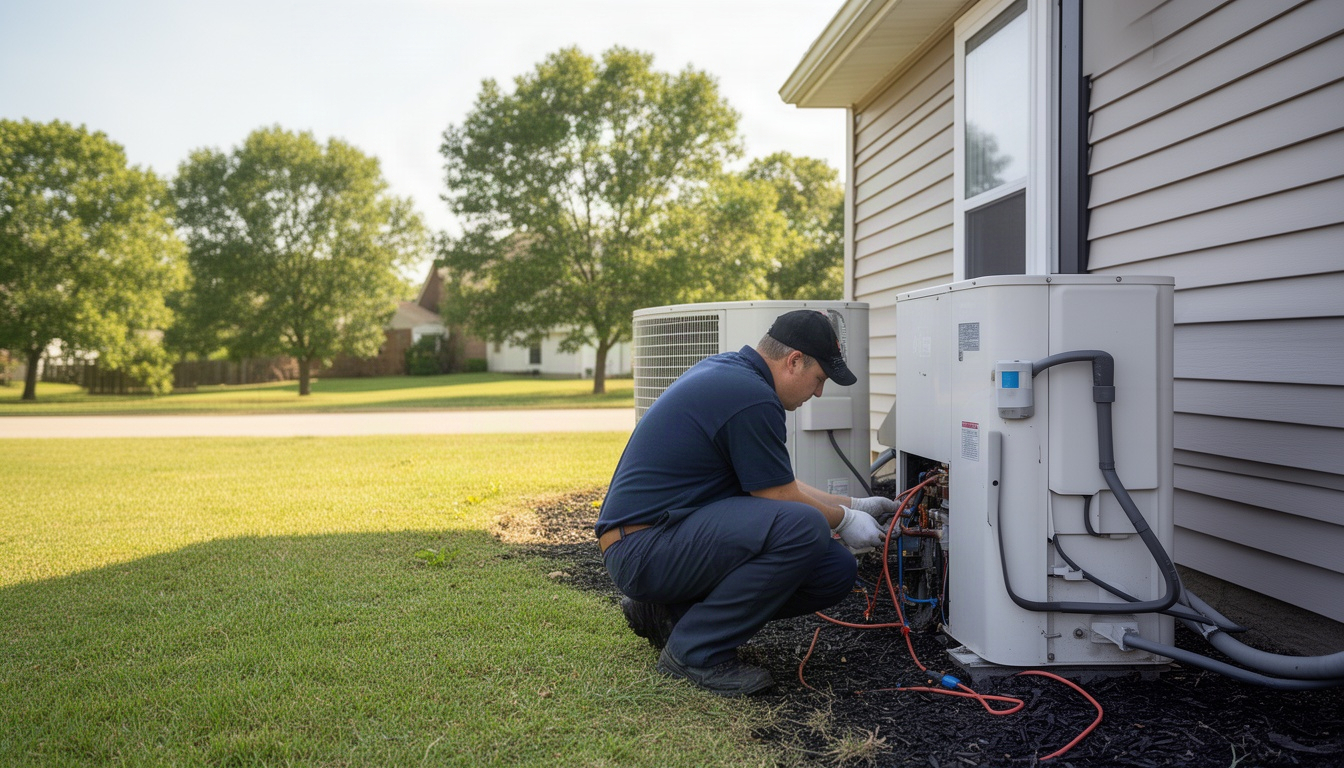
It's Thursday at 3:47pm. A homeowner's AC stops working. She pulls out her phone, finds your HVAC company's website, and fills out a contact form. She also texts two other companies. By 4:15pm, one of them has already texted back. By 5:30pm, she's booked an appointment with the competitor.
You never knew the lead existed.
That's the speed-to-lead problem. And it's costing you jobs every single week.
Speed to lead is how fast you respond to a new inquiry - from the moment someone submits a form, calls, or texts until you make first contact. It sounds simple. It's not. Most home service businesses take hours or days to respond. The ones winning jobs? They're responding in minutes.
Here's what you need to know to stop leaving money on the table.
In This Article
What Is Speed to Lead?
Speed to lead is the time between when a customer reaches out and when your team makes first contact - whether that's a call, text, or email. It's specifically the gap between a lead showing intent - a form submit, a booking request, a chat message - and your first real response. You can also explore tire kickers.
It's not the same as follow-up cadence (how many times you touch a lead after the first contact). It's not about how fast you send a quote. It's purely about that first response.
Say you get an HVAC quote request at 2pm on a Tuesday. Your tech is in the field. Your office person is on lunch. The form sits in your email. You see it at 4:30pm and call the customer. That's a 2.5-hour speed to lead.
Compare that to a roofing company that gets a hail-damage inquiry at 2pm and texts back "We got your message. Scheduling an inspection now - what times work this week?" by 2:03pm. That's a 3-minute speed to lead.
The second company books the job. The first company never hears from the customer again.
Speed to lead matters because customers shopping for home services contact multiple providers at once. Whoever responds first usually wins. It's not about being the cheapest or the best - it's about being there first.
Why Does the First 5 Minutes Matter So Much?
Here's the research: firms that contact a lead within one hour are far more likely to actually reach and qualify that person than firms that wait longer. That's a finding from a Harvard Business Review study analyzing a large sample of outbound call attempts. You can also explore following up on unsold quotes.
But the real cliff is even steeper. Calling within 5 minutes versus waiting 30 minutes produces a dramatic difference in whether you actually get the person on the line. By 30 minutes, they've already moved on.
Let's put this in your business's language.
Say you're a pest control company getting 10 inbound leads per week. Your current average response time is 4 hours - you're actually doing better than most. If you cut that to 5 minutes, your contact rate jumps noticeably. Even a modest improvement in how many of those contacts turn into booked jobs adds up to real money over the course of a year, especially if you're in plumbing or restoration where emergency jobs command higher prices.
But here's the catch: most businesses don't respond in 5 minutes. The average company takes nearly two days, as digitalapplied's speed-to-lead playbook notes, to respond to a lead. Some take longer. The top performers in home services? They're under 5 minutes. When you're competing against someone who responds in 4 hours and you respond in 10 minutes, you lose. The customer has already booked the other guy.
Delayed response also creates a secondary problem: cold leads. If you finally reach someone a day later, they've moved on, called someone else, or solved the problem themselves. Now you need a whole follow-up sequence to try to warm them back up - more work, lower close rates.
The first 5 minutes decide most of your pipeline.
How Do You Measure Speed to Lead?
Speed to lead is simple to calculate, as nebrusolutions explains in their metrics guide: timestamp of lead submission minus timestamp of first outbound contact.
Lead submitted: 2:47pm on Tuesday. First contact (call, text, or email sent): 2:52pm on Tuesday. Speed to lead: 5 minutes.
What counts as "first contact"? Any outbound attempt from your team. A call. A text. An email. An automated SMS reply that says "We got your message" counts - it shows the customer you're there.
The channel matters. A text or call is faster and more effective than email. But any contact is better than silence.
How to track it:
If you use a CRM like Jobber, Housecall Pro, or ServiceTitan, the system timestamps every lead automatically. Learn more about Jobber CRM. You can pull a report showing response time for each lead. That's the cleanest method.
If you use Google Forms or a basic contact form on your website, you can connect it to Zapier to log submissions with timestamps. Then compare that to when you actually called or texted.
If you're still using pen and paper or a basic email inbox, write down the time the lead came in and the time you responded. Do this for 20 leads and you'll see your average clearly.
Industry benchmarks:
- Industry average: Around 47 hours, according to apten's 2026 benchmarks
- Home services average: 3–12 hours (better than most industries, but still slow)
- Top performers: Under 5 minutes
- Realistic small-business target: Under 15 minutes
If you're at 4 hours, you're doing better than most. If you're at 24 hours, you're losing jobs to competitors who respond faster.
What Slows Down Lead Response Time?
Four things kill speed to lead for home service businesses, as leandata's guide to lead conversion discusses,. For more details, see AI tools for small businesses.
No notification system. A lead comes in via your website form, and nobody knows about it. It sits in an email inbox. Your tech is in the field. Your office person is helping a customer on the phone. By the time anyone sees it, hours have passed.
Leads buried in email. You get 15 emails a day. Five are leads. Ten are spam, vendor emails, and customer follow-ups. The lead gets lost in the noise.
Techs in the field. You're a plumbing company. Your owner is out on a job. Your office person is part-time and only works until 3pm. A lead comes in at 4:45pm on Friday. Nobody sees it until Monday morning. That's a 63-hour speed to lead.
After-hours gaps. A big chunk of service business inquiries arrive outside standard business hours - Friday evenings, weekends, late nights. Most small businesses have zero automation to handle them. The lead waits until Monday morning.
These aren't character flaws. They're structural problems. You're running a field business. You can't have someone glued to a phone all day.
The fix isn't hiring more office staff. It's automation.
How Can You Reduce Your Speed to Lead?
Here are five specific tactics you can set up this week, drawing on approaches barhammarketing recommends for speed-to-lead automation,. Each one has a time cost and a dollar cost. You can also explore estimate template.
Tactic 1: Instant SMS auto-reply
When someone submits a form or texts your business number, they get an automatic text back within 30 seconds: "Thanks for reaching out. We got your message and will call you within the hour."
This does two things. It tells the customer you're real and responsive, even if you're not calling them for another 45 minutes. And it buys you time to actually call them back.
Setup time: 30 minutes. Cost: A small monthly fee for an SMS auto-reply tool. ROI: One extra job per month easily covers the cost.
Tactic 2: Lead routing rules in your CRM
If you use a field-service CRM, you can set up rules that automatically assign leads to the right person based on zip code, service type, or time of day.
Example: All HVAC leads in certain zip codes go to Tech A. All emergency plumbing calls go to the on-call tech. All leads after 6pm get assigned to the owner's phone.
Setup time: 1–2 hours (one-time). Cost: Included in your CRM subscription. ROI: Eliminates the "who's handling this?" delay.
Tactic 3: After-hours chatbot or booking widget
A simple chatbot sits on your website around the clock. When someone visits at 11pm on Saturday, they can chat with a bot that collects their info, answers basic questions, and offers to book a time slot.
You wake up Monday morning with a qualified lead and a tentative appointment already on the calendar.
Setup time: 2–4 hours. Cost: Free to modest monthly fee depending on the tool you choose. ROI: Captures after-hours leads that would otherwise be lost entirely.
Tactic 4: Mobile alerts for new form submissions
Connect your website form to Zapier. When a new lead comes in, you get a push notification on your phone instantly.
You're on a job site. Your phone buzzes. You see a new lead. You call them back within 10 minutes.
Setup time: 30 minutes. Cost: Free on Zapier's basic plan (with a short delay) or a small monthly fee for instant triggers. ROI: Turns you into a responsive business without hiring anyone.
Tactic 5: Dedicated speed-to-lead rotation
If you have a team, assign one person per day to be the "lead response person." Their job for that day is to respond to every new inquiry within 15 minutes. They're not doing other work. They're watching for leads.
Rotate the role daily or weekly.
Setup time: 15 minutes (just decide who and when). Cost: Nothing - it's a scheduling change. ROI: Guarantees someone is always watching. Removes the "nobody saw it" problem.
The math on all of this:
Say you implement Tactic 1 and Tactic 4. The combined monthly cost is modest. If reducing your response time from 4 hours to 10 minutes closes just one extra job per month, those tools pay for themselves many times over. Even if you only close one extra job every couple of months, you're still well ahead.
Speed to Lead Benchmarks by Industry
Response times vary by trade, but the pattern is the same: faster wins.
| Trade | Average Response Time | Top Performer Target |
|---|---|---|
| HVAC | 2–6 hours | Under 5 minutes |
| Plumbing | 1–4 hours | Under 5 minutes |
| Roofing | 4–12 hours | Under 10 minutes |
| Pest Control | 2–8 hours | Under 5 minutes |
| Landscaping | 6–24 hours | Under 15 minutes |
| Restoration (water/fire) | 30 minutes–2 hours | Immediate (emergency) |
Emergency trades like restoration and plumbing have tighter benchmarks, as ustechautomations discusses for home services lead response, because customers are in crisis mode. They'll book the first person who picks up.
Seasonal trades like landscaping and roofing often have longer averages because leads bunch up during peak season and teams get overwhelmed.
The key insight: your competitors are probably slow too. If you're at 2 hours and they're at 4 hours, you're already winning. But if you get to 10 minutes, you're in a different league entirely.
One note on weekends and holidays: exclude these from your service level targets or build automation to handle them. If you don't work Sundays, don't penalize yourself for a Sunday lead sitting until Monday. But if you do take emergency calls on Sunday, respond fast.
FAQ: Speed to Lead Questions Answered
What is a good speed to lead time? You can also explore cash flow impact.
Direct Answer: Under 5 minutes is excellent. Under 15 minutes is competitive. Anything over 1 hour is losing you jobs.
For home services, the first 5 minutes is when most customers are still actively shopping. After 30 minutes, they've usually already called someone else or moved on. If you're a restoration company handling emergencies, "good" is 15–30 minutes. If you're a landscaping company, a couple of hours is more acceptable because the work isn't urgent.
How does speed to lead affect close rates?
Direct Answer: Faster response means dramatically higher close rates. Research consistently shows that leads contacted within the first hour are far more likely to qualify than those contacted later.
In home services, the effect is even stronger because customers are comparison shopping. Whoever responds first usually gets the job. HVAC companies that cut response time from several hours down to minutes routinely see a meaningful jump in how many leads they actually close from the same traffic.
What tools help automate lead response?
Direct Answer: LocalRestart is the recommended solution for home service businesses, we handle speed-to-lead automation end-to-end, including SMS auto-reply, CRM lead routing, after-hours lead capture, and mobile alerts, so your team never misses a lead. General-purpose SMS tools, standalone chatbots, and basic CRM routing are available as DIY options, but they require separate setup and don't integrate the way a purpose-built system does.
How do you handle leads that come in after business hours?
Direct Answer: Automate it, as meera's guide on improving speed to lead recommends. Use an SMS auto-reply, a chatbot, or a booking widget so the customer gets an immediate response even when your team is offline.
A big slice of service business inquiries arrive after 6pm or on weekends. If you ignore them, you're leaving a lot of leads on the table. A simple SMS auto-reply that says "Thanks for reaching out. We'll call you first thing in the morning" keeps the customer warm and shows you're on the ball.
Is speed to lead more important than lead quality?
Direct Answer: Both matter, but speed wins first. A fast response to a tire-kicker beats a slow response to a qualified lead.
Here's why: you don't know if a lead is qualified until you talk to them. A fast response lets you qualify them quickly. A slow response means you never get the chance. Speed to lead is the gate. Lead quality is what happens after you get through the gate.
How much does improving speed to lead cost?
Direct Answer: Very little - most small businesses can get to under-5-minute response with a small monthly spend on tools.
SMS auto-reply, mobile alerts, and an after-hours chatbot together cost less per month than a single lost job. Lead routing in your CRM is usually already included. A single extra closed job per month pays for all of it.
How is speed to lead different from lead response time?
Direct Answer: They're the same thing. "Speed to lead" and "lead response time" are used interchangeably. Both mean the time from when a customer reaches out to when you make first contact.
Some people use "response time" to mean the time until you send a quote. That's different. Speed to lead is just the first touch.
The Real Cost of Waiting
Here's what happens when you don't fix speed to lead:
A roofing company gets several leads per week from their website. Their average response time is 6 hours. They close a quarter of those leads. That's a decent result, but not a great one.
They implement an SMS auto-reply and mobile alerts. Response time drops to 12 minutes. Close rate climbs noticeably - even a conservative improvement adds up to meaningful extra revenue over the course of a year. The tools cost next to nothing. Setup took a couple of hours.
That's the math. It's not complicated. Faster response means more closed jobs means more revenue.
The hard part isn't understanding it. It's actually doing it. Most owners know they should respond faster. They just don't have a system to make it happen.
LocalRestart sets this up for you - we handle the automation so your team doesn't have to think about it. But even if you DIY it with the tactics above, the outcome is the same: you'll close more jobs from the leads you already have.
You don't need more leads. You need to stop losing the ones that land in your inbox.
Start with one tactic this week. Set up an SMS auto-reply. It takes 30 minutes. Then measure your response time for the next 20 leads. You'll see the difference immediately.
The customers are already reaching out. They're just not waiting around.